
Live Notes
Overview
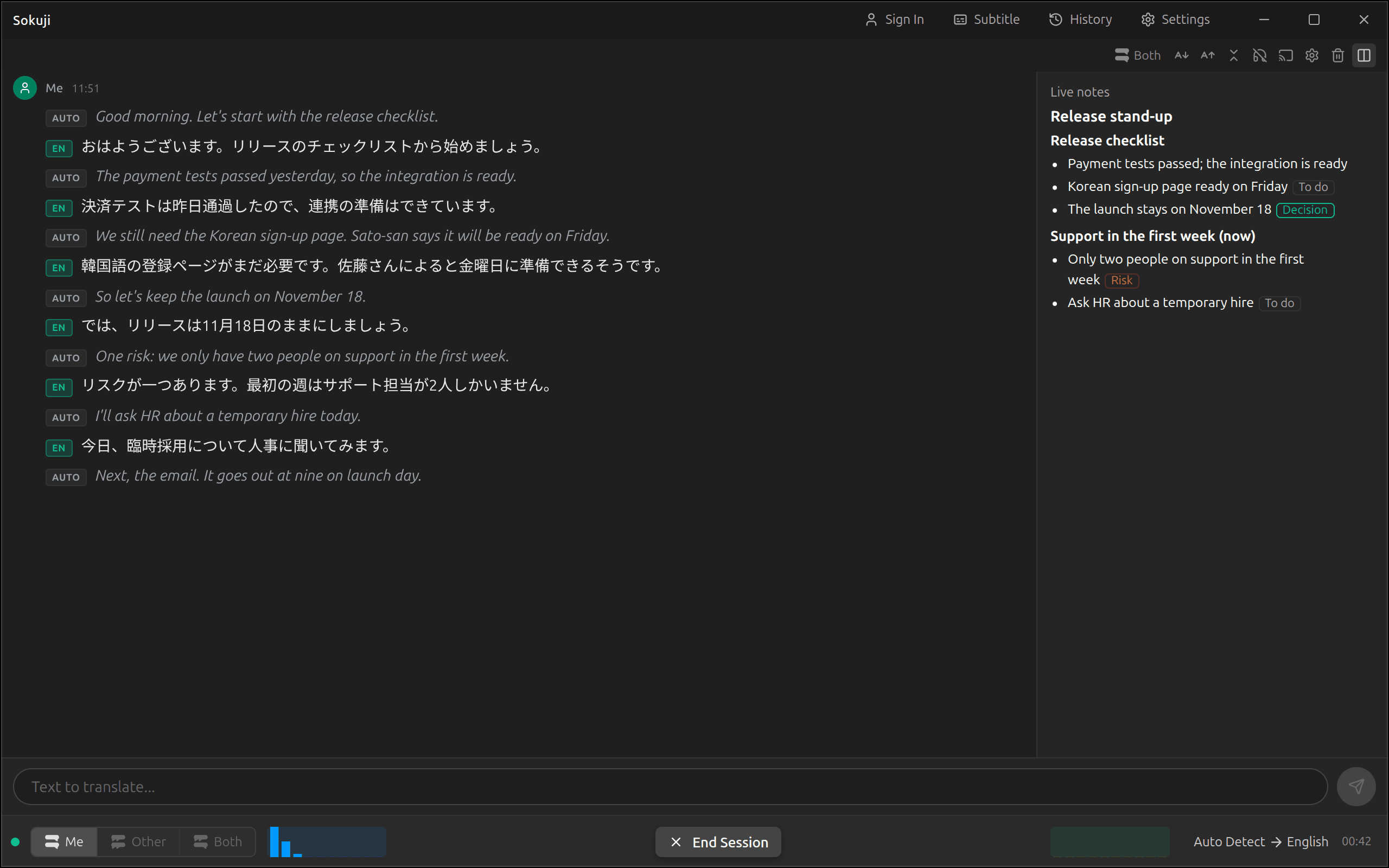
During a session, the desktop app can keep short notes beside the conversation: the topics as they come up, with the decisions, to-dos and risks. They are updated every 20 seconds, so someone who joins late or looks away can catch up at a glance. Live notes are not kept; for notes you keep, see Meeting Notes.
1Switch them on
Live notes are written by the service chosen for the Notes stage in Settings → Languages and line-up: Kizuna AI, or OpenAI with your own key (see Meeting Notes). Then, in Settings → History and notes, switch on Live notes during a session. The first time, Sokuji explains what is sent: every 20 seconds, the new sentences with who said them, the notes so far and the spellings in your word list; never the audio or the translation. This switch works during a session too.
2Follow the meeting
Start a session. The Live notes panel fills in as people talk: the topic being discussed is marked (now), and points are marked Decision, To do or Risk. Notes only grow: a point once written stays as it is. In a wide window the panel is beside the conversation, and in a narrow one above it; drag the edge between them to resize it.
3Show only the notes, or hide them
The live notes button in the toolbar above the conversation goes from side by side, to Show only the live notes, to Hide live notes, and back with Show live notes. Hiding the panel does not stop the notes. Sokuji remembers the layout for the next session.
4After the session
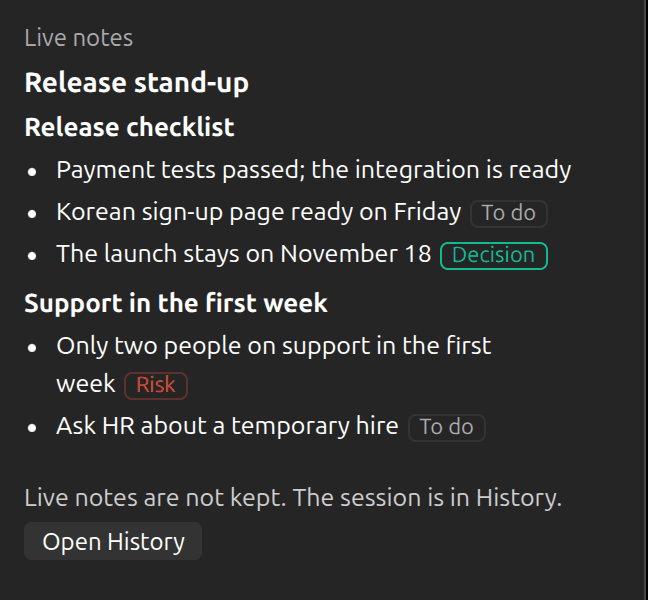
When you stop, the live notes stay on screen until the next session starts, and the panel says they are not kept. Open History opens the session. If notes after each session are switched on, the full notes are written there from the whole transcript.
Tips
- With Kizuna AI, the bottom of the panel shows what live notes have cost so far in this session, and warns when your balance is low.
- If your Kizuna AI balance runs out, live notes stop for the rest of the session; the session itself goes on.
- Live notes are in your own language when the session has one; otherwise they are in the language of the interface.
Frequently Asked Questions
Why are live notes not saved?
They are a quick view written in pieces while people talk. The notes written after the session are made from the whole transcript and are better; those are the ones History keeps.
The panel says live notes could not be updated.
Three updates in a row failed, usually because of the network. Sokuji keeps trying, and the sentences it missed go with the next update.
Do live notes work in the browser extension?
No, only in the desktop app.
Troubleshooting
Still stuck? Send us feedback from the account menu, or write to support@kizuna.ai. You can also ask in GitHub Discussions.