
Back to Documentation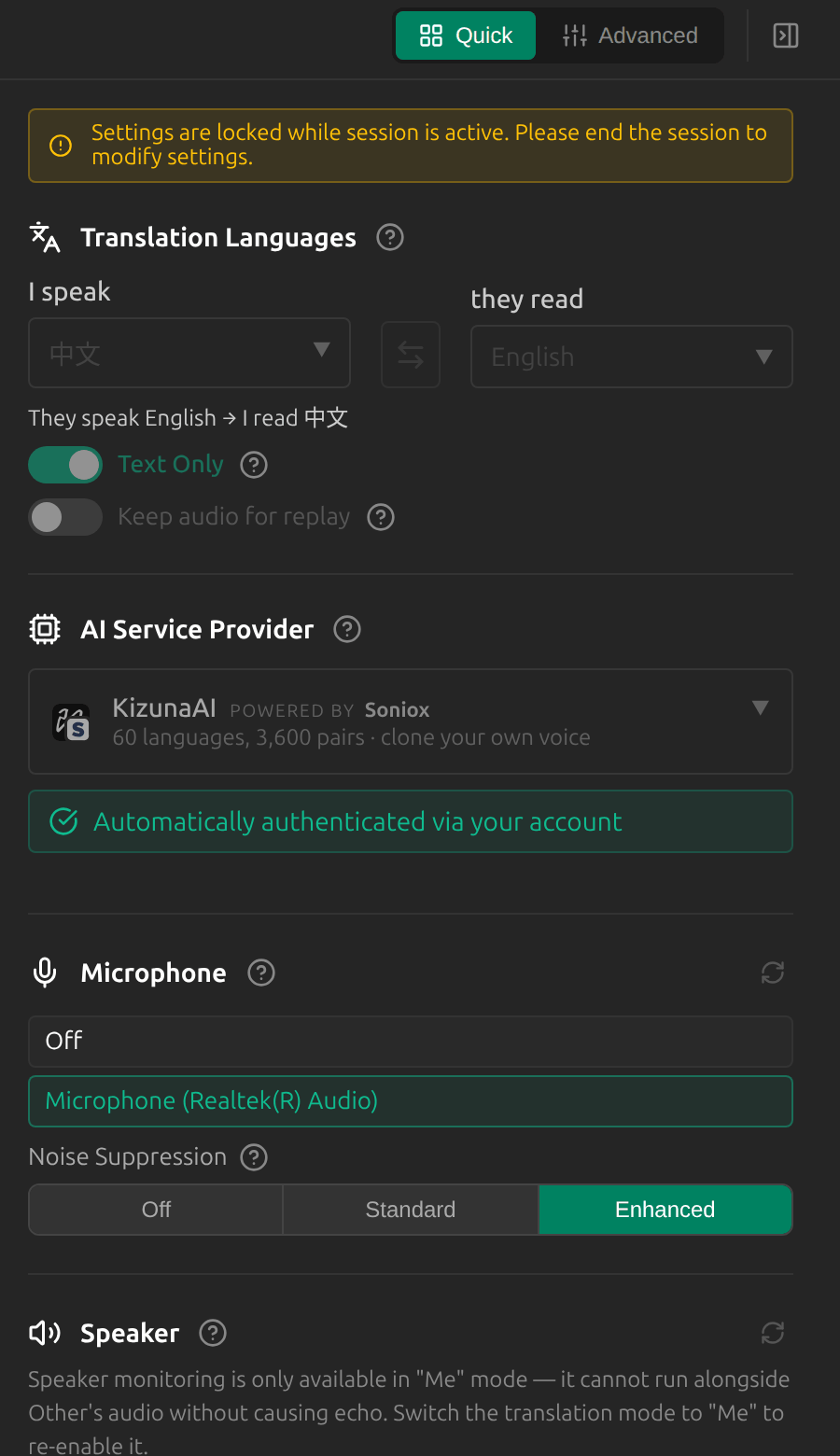
Switch Devices During a Session
Overview
You can change your microphone, your speaker and Other’s audio without stopping the session, for example when you plug in a headset.
1Open Settings during the session
Most settings are locked while a session runs, and Settings says so at the top. Your devices are not: pick another Microphone, Speaker (in Me mode) or Other’s audio source (desktop app), or change Noise Suppression, and the session carries on.
2Or use the mode button
Click the selected mode at the bottom left to switch your microphone or Other’s audio from the main window.
Tips
- If switching Other’s audio fails, Sokuji keeps the previous source. Stop and start the session to change it.
- The mode, languages, provider and Text Only stay locked until you stop the session.
Frequently Asked Questions
Why is a setting greyed out during the session?
Only devices and noise suppression can change live. Stop the session to change anything else.
Troubleshooting
Still stuck? Send us feedback from the account menu, or write to support@kizuna.ai. You can also ask in GitHub Discussions.