
Choose Where Your Audio Is Processed
Overview
Soniox, which KizunaAI uses, runs a separate deployment in each of three regions: the United States, the European Union and Japan. Your audio is processed in the region you pick. The default is the United States.
1Open the region setting
Open Settings, switch to Advanced with the button at the top right of the panel, and choose the Provider tab. Region is right below the AI service provider.
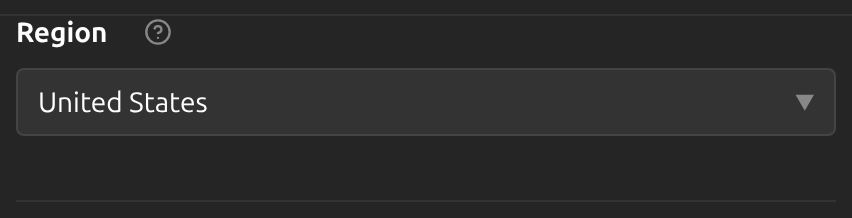
2Pick a region
Choose United States, European Union or 日本 (Japan), for example the region your organization requires for its data. The choice applies from the next session.
3Add your voice in the new region
Custom voices belong to one region, and each region remembers its own voice choice. If you use My voice, add it again after switching; see Choose a voice or clone your own.
Tips
- The region cannot be changed while a session is starting or running. Stop the session first.
- Everything else, including languages, vocabulary and the session background, stays the same when you switch region.
Frequently Asked Questions
Which region should I choose?
If your organization has rules about where data is processed, pick the region they require. Otherwise the default works for everyone.
Where is my audio processed if I never change this?
In the United States, the default region.
Troubleshooting
Still stuck? Send us feedback from the account menu, or write to support@kizuna.ai. You can also ask in GitHub Discussions.