
Text Only: Subtitles Without a Translated Voice
Overview
With Text Only on, Sokuji shows translations as text and does not speak them. Nothing is sent to the virtual microphone. Use it when you only need subtitles, for example to follow a meeting or to caption your own talk.
1Switch it on
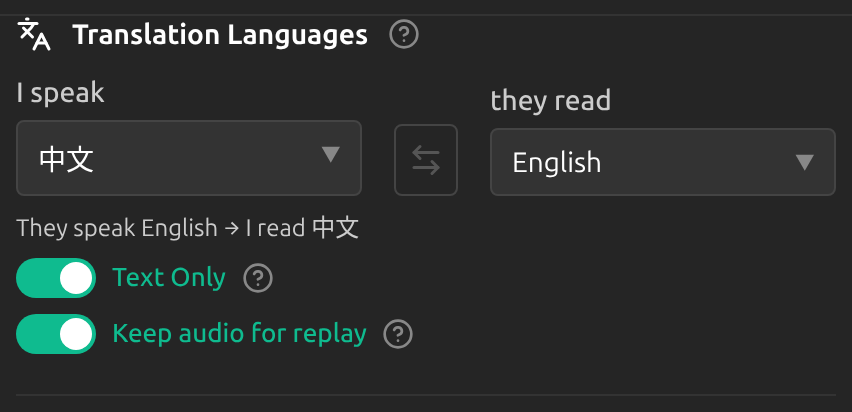
In Settings, under Translation Languages, switch on Text Only. It is in Quick settings, and in Advanced under General. It cannot change while a session runs.
2Other mode
In Other mode, Text Only is always on: the other side’s speech is always translated as text for you.
Tips
- With services that charge for generated speech, such as KizunaAI, Text Only costs less.
- Text Only leaves the other side hearing nothing from Sokuji. To let them read along, share the subtitle window.
Frequently Asked Questions
Why can’t I find Text Only?
Some services always speak (OpenAI Translate, OpenAI Live, Palabra), so the switch is hidden. Others only produce text (Volcengine Speech Translate, Zoom AI), so it is always on.
Does Text Only stop all speech costs?
For most services, yes: no speech is generated. With Google Gemini, audio may still be generated and billed; Sokuji just does not play it.
Troubleshooting
Still stuck? Send us feedback from the account menu, or write to support@kizuna.ai. You can also ask in GitHub Discussions.