
Balance, Costs and Session Time
Overview
KizunaAI is paid from a prepaid balance on your Kizuna AI account, by use, with no subscription. This page explains where to see your balance, why Start can be disabled, what happens when a session reaches its limit, and which settings change the cost.
1Check your balance
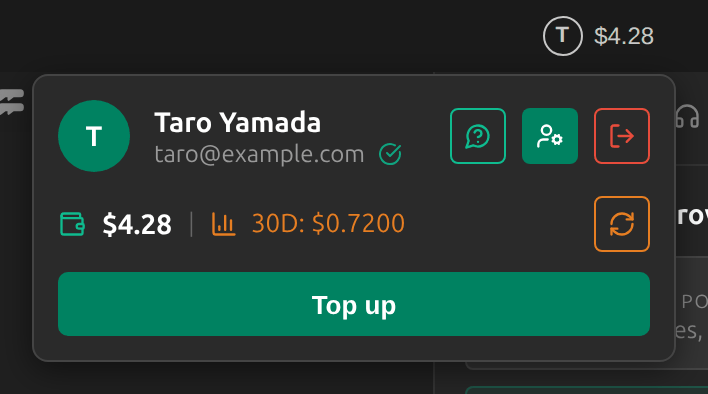
The account button in the title bar shows your balance. Click it to see your email address, your balance and what you spent in the last 30 days. Top up opens the billing page of your Kizuna AI account in your browser, where you add funds and see the current rates before you pay.
2When Start is disabled
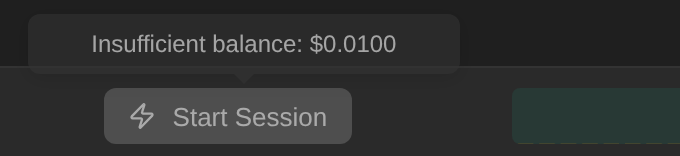
Sokuji only starts a session when your balance covers at least its first minute. If it does not, the Start button is greyed out, hovering over it shows Insufficient balance with your balance, and the account button carries a red dot. Top up and try again.
Tip
Spoken translation needs a higher balance to start than Text Only.
3During a session
A session runs against part of your balance, and Sokuji counts down the time left. Long sessions run in segments: when one ends, Sokuji says This segment has ended and you click Start Session to continue. When your balance is used up, the session stops and asks you to top up.
4Both mode: shared or separate sessions
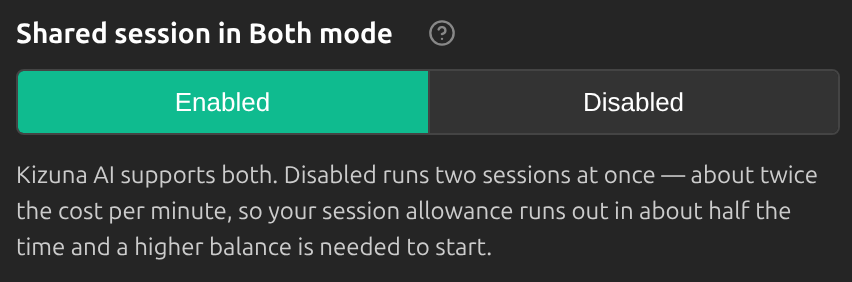
In Both mode, Shared session in Both mode (Settings → Advanced → Provider) decides the cost. Enabled (the default) translates both sides in one session with automatic voice separation, at lower cost and latency. Disabled runs one session per direction, which is more reliable when both people talk at once, but costs about twice as much per minute, so your balance lasts about half as long and a higher balance is needed to start.
Ways to spend less
- Switch on Text Only when you only need subtitles: generating speech costs extra.
- Keep Shared session in Both mode enabled unless both sides often talk at the same time.
- Stop the session when the conversation ends: a running session keeps using your balance.
- Accounts with a verified email address get a trial credit (currently US$0.50, valid for 7 days).
Frequently Asked Questions
Is there a subscription?
No. You top up your balance and pay only for what you use.
Where can I see the rates?
On the billing page of your Kizuna AI account, which Top up opens. The rates are shown there before you pay.
The app says “Another session is already running on your account”.
One account runs one KizunaAI session at a time. Stop the session on your other device or window, then try again.
Previewing a voice asks me to top up.
Voice previews are synthesized and charged to your balance, so they need a balance too.
Troubleshooting
Questions about a charge? Send us feedback from the account menu, or write to support@kizuna.ai.