
Back to Documentation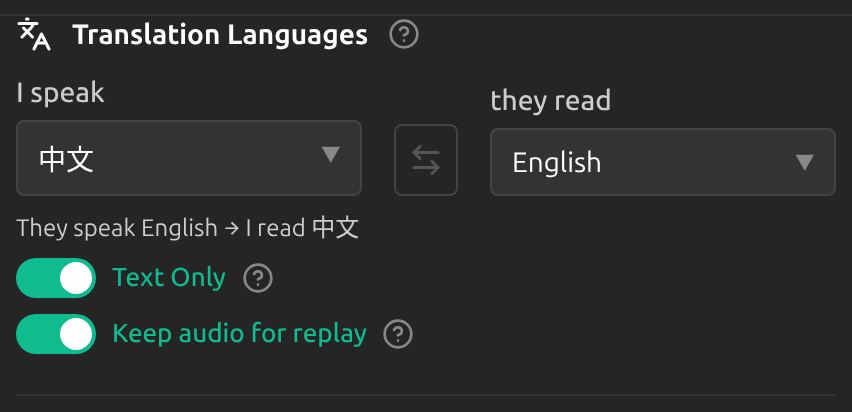
Replay a Translation
Overview
With Keep audio for replay on, Sokuji keeps the spoken translation of your lines, so you can play one again, for example when the other side missed it.
1Switch it on
In Settings, under Translation Languages, switch on Keep audio for replay. It is off by default and cannot change while a session runs.
2Play a line again
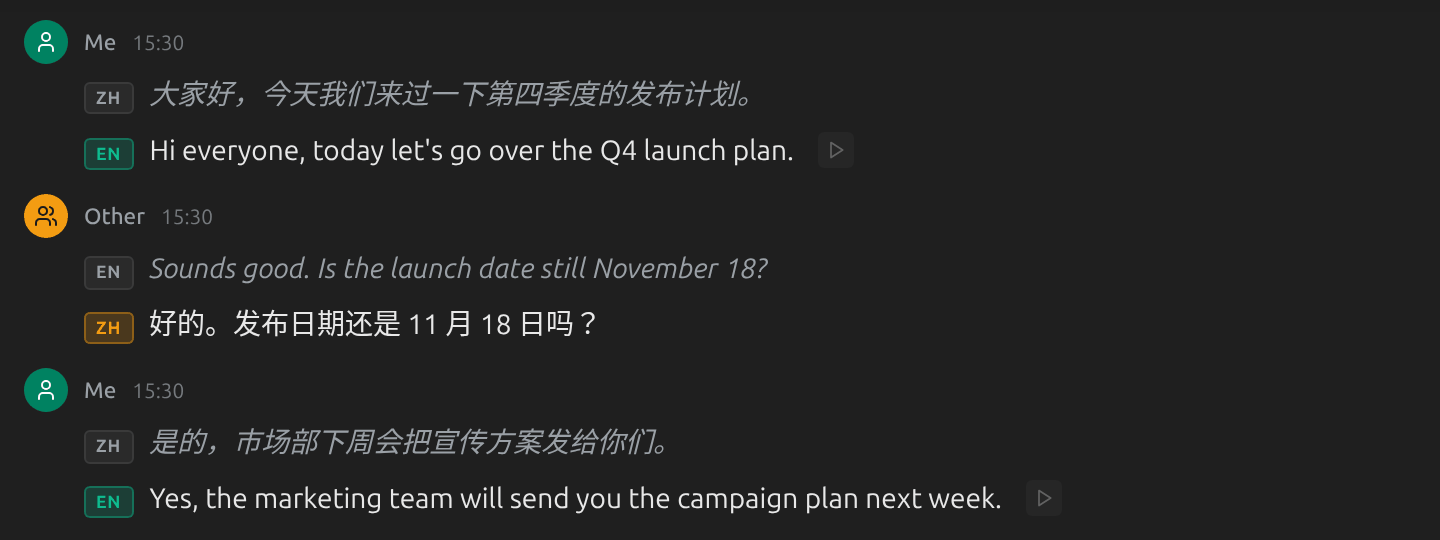
A play button appears next to the translation of each of your lines. Click it to hear that translation again; one plays at a time.
Tips
- Replay goes out the same way as the translation, through the virtual microphone, so the people in your meeting hear it again.
- The audio is kept in memory only. It is gone when you clear the conversation or close Sokuji; nothing is written to disk.
- Replay plays the spoken translation, so there is only something to play when Text Only was off. Only your own lines can be replayed, in the expanded view.
Frequently Asked Questions
Why don’t I see the play button?
Check that Keep audio for replay was on when the line was spoken, that Text Only is off, and that you are not in compact view. The other side’s lines are text only and have no audio.
Troubleshooting
Still stuck? Send us feedback from the account menu, or write to support@kizuna.ai. You can also ask in GitHub Discussions.